
Do you have a plandisc that's useful to others in your organization? You can share it with everyone on your Enterprise license in one step. They get read-only access, and the plandisc shows up on their dashboard right away.
This is an easy way to keep your plans open and visible across teams.
How to share with your Enterprise
-
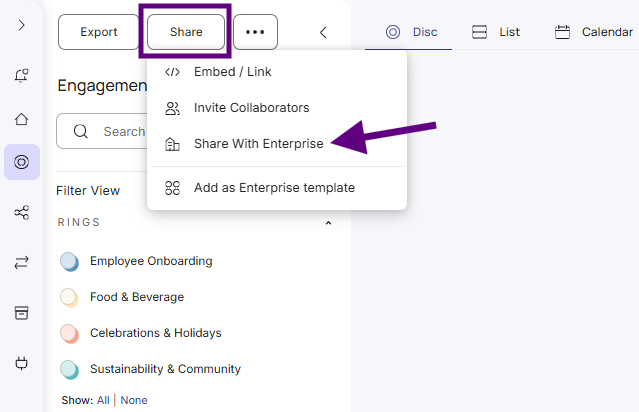
Open the plandisc you want to share.
- Click Share.
- Click Share with Enterprise.
What your colleagues can do
- See the plandisc and all its content.
- Add rings from your plandisc to their own plandiscs.
They can't make changes to your plandisc. If you want someone to edit it, invite them as a collaborator.
Can't see the option?
Your Enterprise admin decides which users can share with the Enterprise. If Share with Enterprise isn't in your Share menu, ask your admin to turn it on for your user role.
What's more
Manage your Enterprise license