
Want to control which updates you get from Plandisc? You can turn your notifications on or off from your own account, so you only hear about what matters to you.
- Click your name in the bottom left corner.
- Choose "Notification settings."
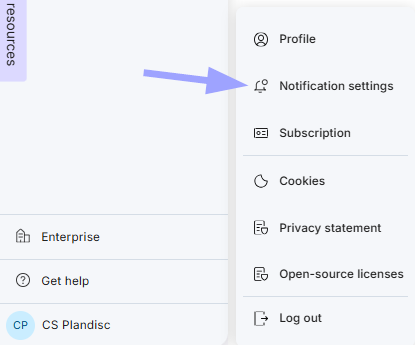
- Turn each notification on or off, the way you want it.
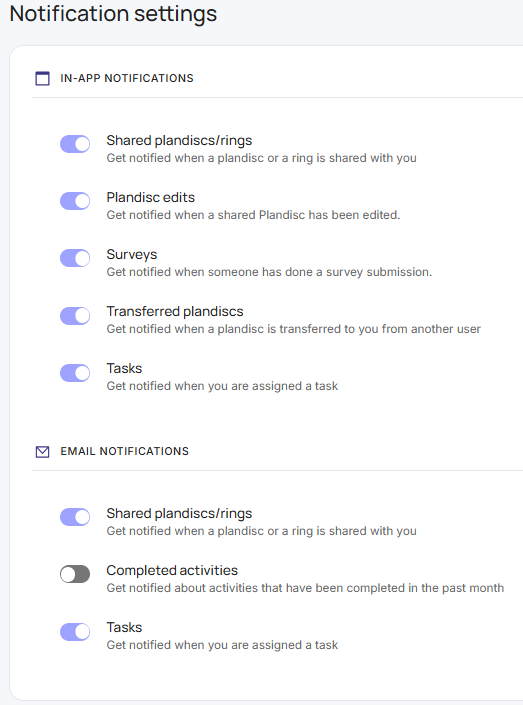
In-app notifications
- Shared plandiscs/rings: get notified when a plandisc or a ring is shared with you.
- Plandisc edits: get notified when a shared plandisc has been edited.
- Surveys: get notified when someone submits a survey.
- Transferred plandiscs: get notified when a plandisc is transferred to you from another user.
- Tasks: get notified when you're assigned a task.
Email notifications
- Shared plandiscs/rings: get notified when a plandisc or a ring is shared with you.
- Completed activities: get notified about activities that were completed in the past month.
- Tasks: get notified when you're assigned a task.
You can come back and change these anytime.