
You can export your plandisc to Excel. You get all your activities in one spreadsheet. This is useful if you want to sort or filter your data, use it in a report, or share it with someone who doesn't use Plandisc.
How to export
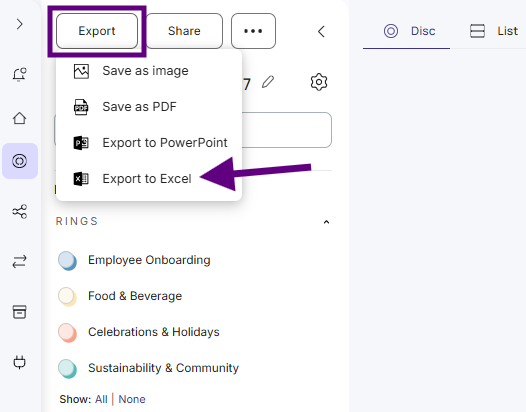
- Open your plandisc and click Export.
- Click Export to Excel.
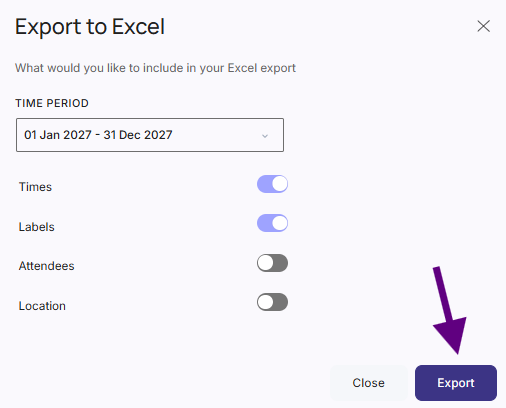
- Choose what to export:
- Time period: the period you want to include.
- Data: the type of data you want in the file.
- Click Export. The Excel file downloads to your computer.
Want to go the other way? You can also import activities from Excel into a plandisc. See Import from Excel.
What's more
Export to PDF, PNG, or print your plandisc