
Set an activity to follow another one, and you only ever change the date in one place. Move the board meeting, and the agenda, the prep, and the follow-up all move with it.
Fixed or relative dates
When you create an activity, you choose how Plandisc sets its dates:
- Fixed: You pick the start and end date yourself. This is how activities have always worked, and it's still the default.
- Relative: The activity takes its dates from another activity in your plandisc. Instead of picking dates, you pick which activity it follows.
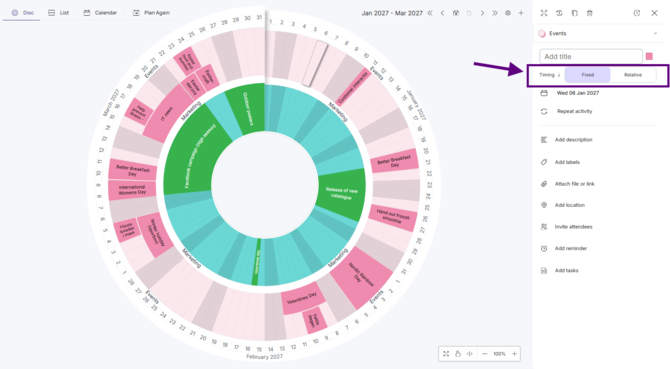
Set up a relative activity
- Open the activity's details.
- Switch the period to Relative.
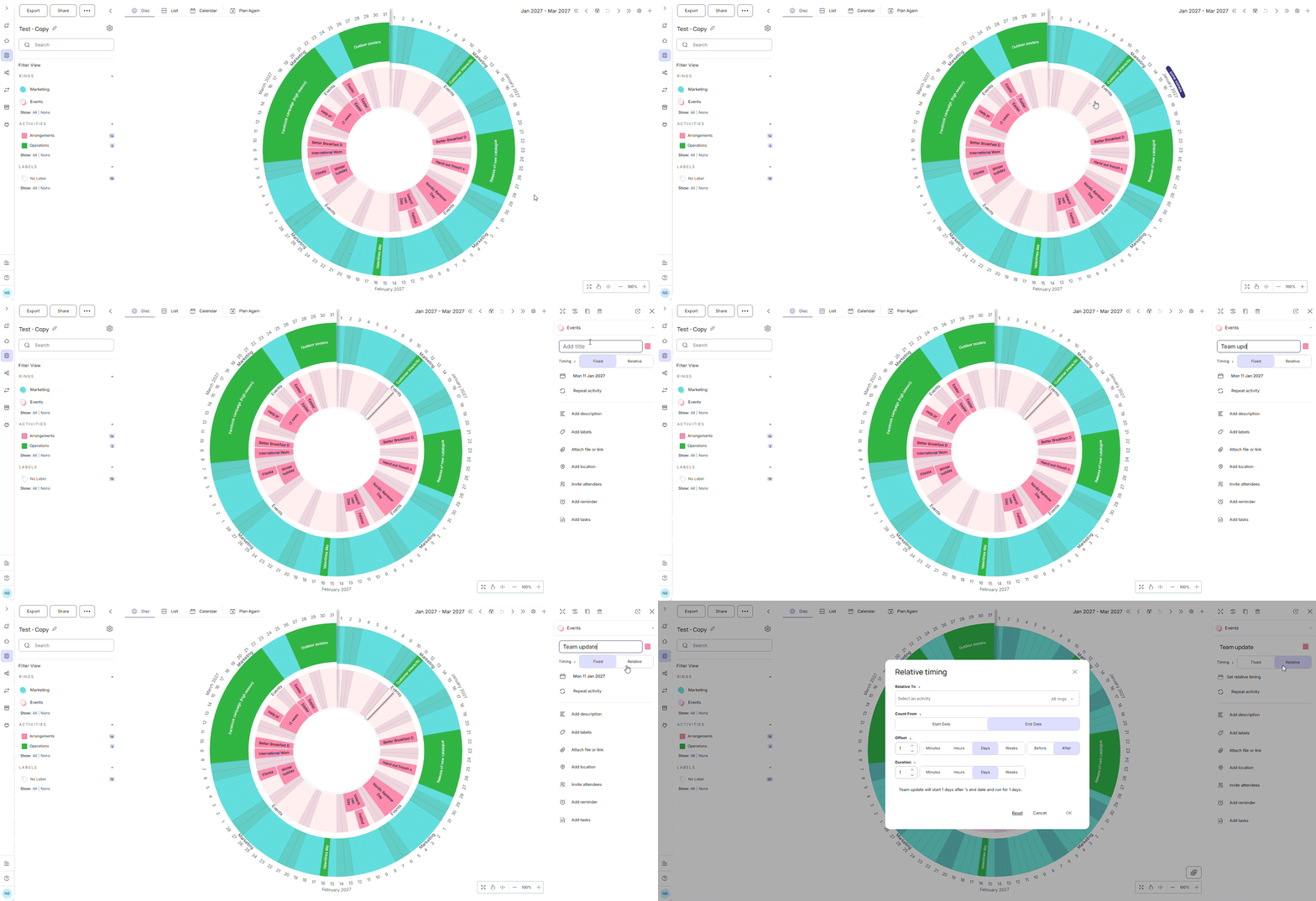
- Relative To: Choose the activity to follow. It can be any other activity in the plandisc. You can choose to search for the activity from all rings or specific rings.
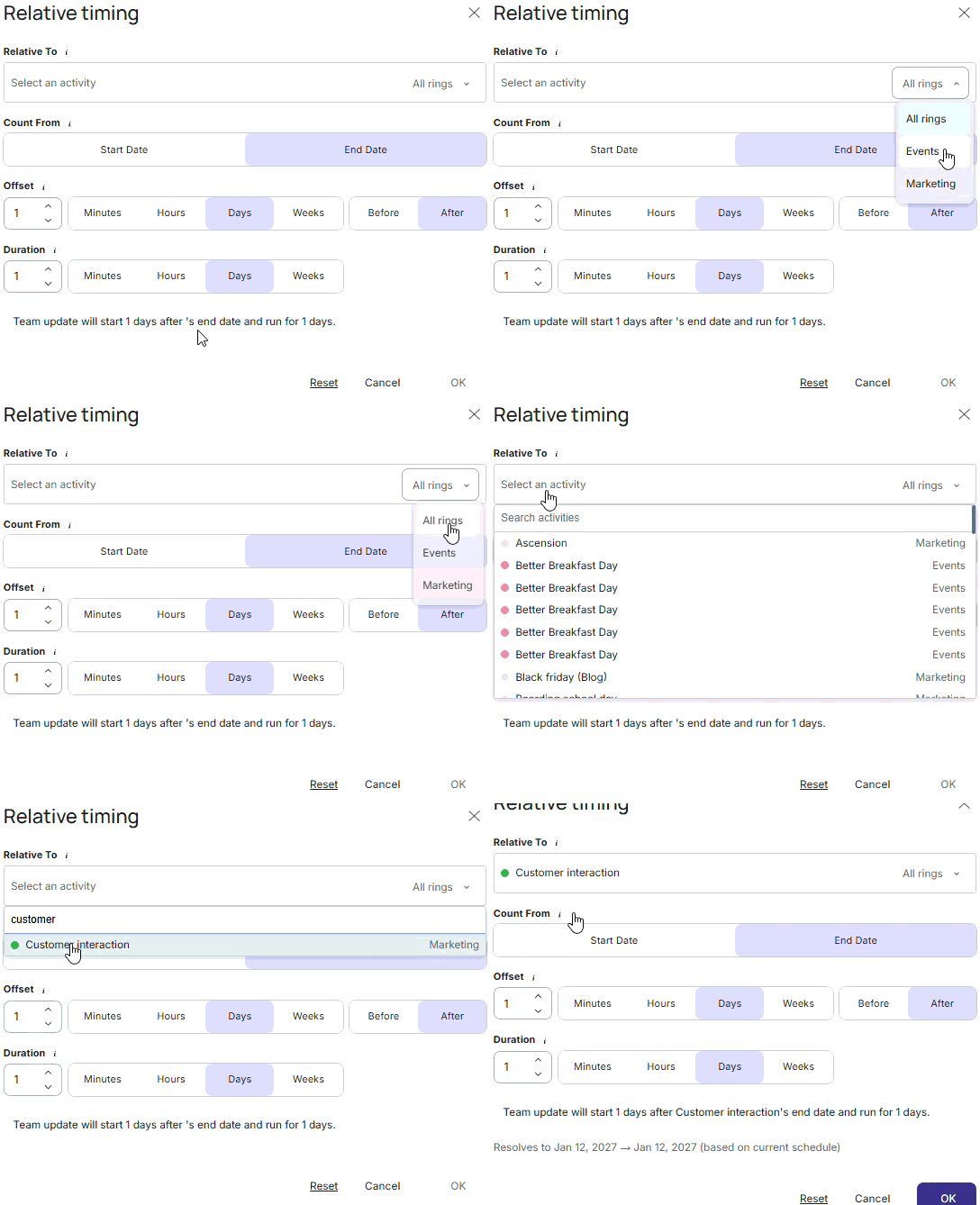
- Count From: Choose whether to count from its first day (start date) or from its last day (end date).

- Offset: Set how long before or after the chosen date this activity starts. Set how far before or after. Enter a number and pick a unit: minutes, hours, days, or weeks. Use 0 to start on the same day.
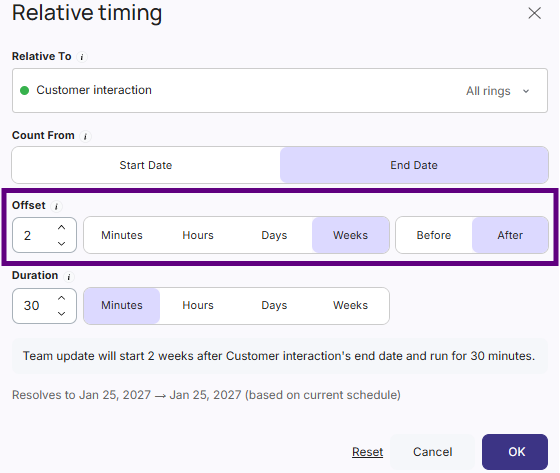
- Duration: Set how long your activity runs from its calculated start. Again, enter a number and pick a unit.
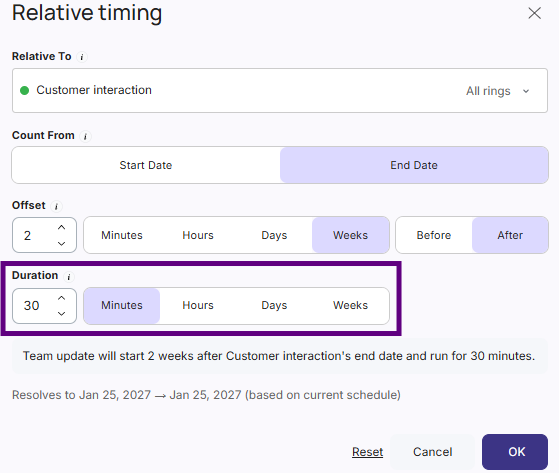
You still choose whether the activity is all-day or has a specific start time, just like before.
Tip: Check the summary at the bottom of the activity details before you save. It tells you in plain words when your activity will happen.
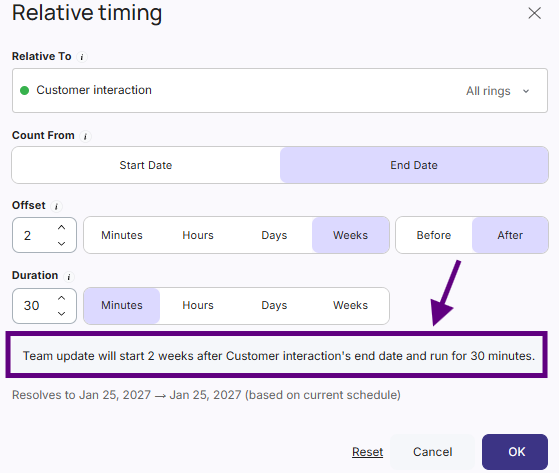
An example
Your board meeting is on March 15. The agenda needs to go out one week before.
- Follows: Board meeting
- Counts from: its start date
- Starts: one week before
- Lasts: one day
The agenda lands on March 8. Move the board meeting to March 22, and the agenda moves to March 15 by itself.
Counting from the start or from the end
This choice matters more than it looks.
Count from the start when your activity is tied to when the other one begins, such as preparation before a launch or a reminder before a meeting.
Count from the end when your activity is tied to when the other one finishes, such as an evaluation after a campaign or a follow-up documentation after an audit closes.
Here's the difference in practice. If the activity you follow gets longer or shorter, only the activities that count from its end will move. Activities that count from its start stay where they are. They only move when its start date moves.
When things move
This is the whole point of a relative activity: you never update it by hand. Reschedule the activity it follows, and Plandisc recalculates the dates straight away.
If you've invited people, they get an updated invitation whenever the start time or duration changes. You don't need to tell anyone yourself.
A relative activity can have other activities following it too, so one change can shift a whole sequence. Move the first activity in the chain, and everything after it moves with it.
Several activities can also follow the same one. For example, preparation before a meeting and a debrief after it can both follow that meeting.
Switch back to fixed dates
You can turn a relative activity back into a fixed one at any time:
- Open the activity's details.
- Change the period to Fixed.
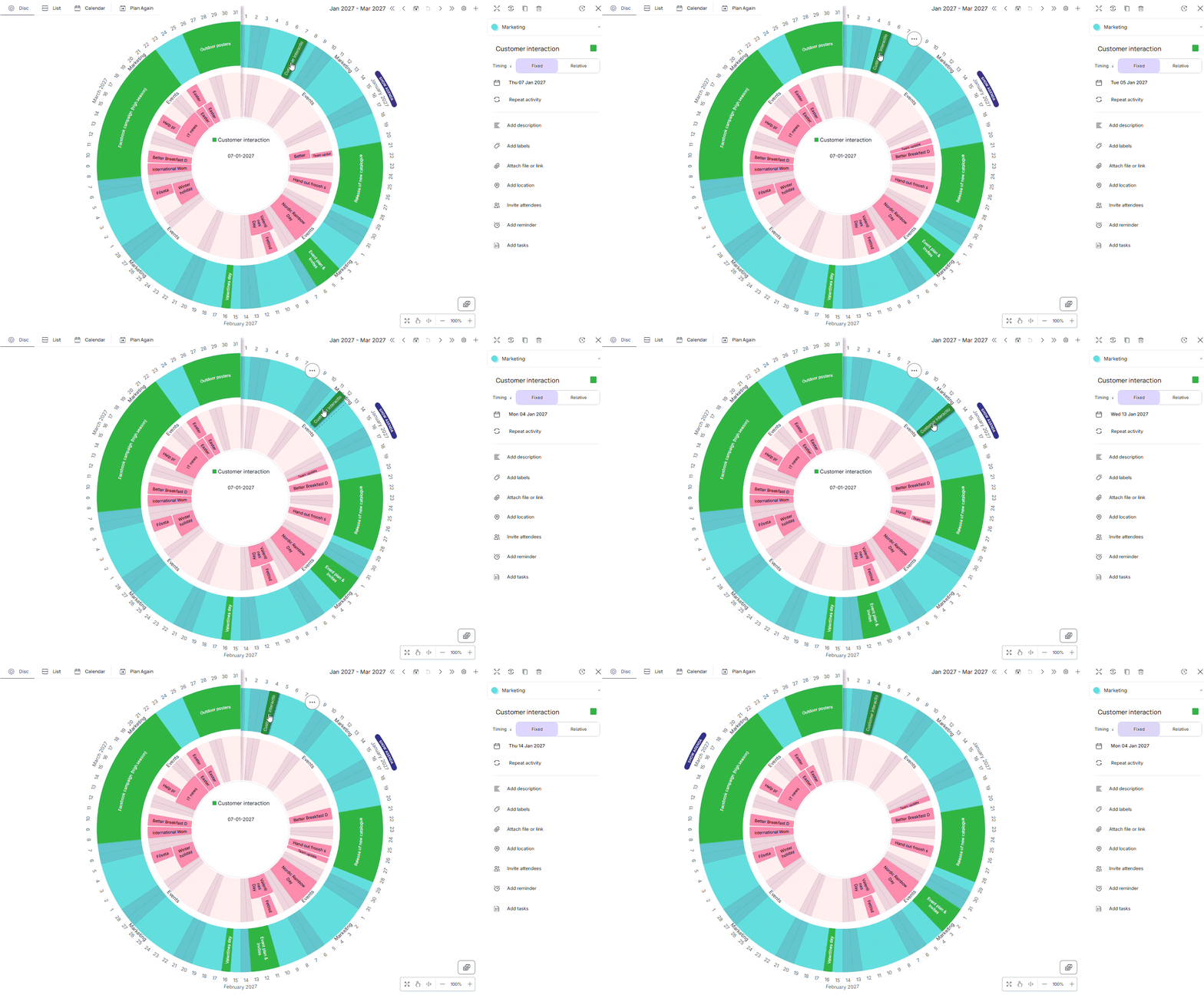
The activity keeps the dates it has right now and stops following anything. From then on, you set its dates yourself, and you can drag it on the wheel again.
Frequently asked questions
Can I drag a relative activity on the wheel?
No. Its position comes from the activity it follows, so you can't drag it. To adjust it, open the details and change the timing there. Or switch it back to fixed dates to move it freely.
Can two activities follow each other?
No. That would create a loop, and neither activity would have a date. Plandisc checks for this and won't save it, so you'll know before anything breaks.
What happens if I delete the activity it follows?
Nothing is lost. The activities that followed it keep their current dates and switch to fixed dates. Nothing shifts.
What happens when I copy a relative activity?
The copy follows the same activity as the original. If you're copying a whole chain, open each copy and choose the activity you want it to follow.
What dates show up when I export a plandisc?
Real dates. Relative activities are exported with the dates they have at the moment you export.
How do relative activities work on shared rings?
They show the correct dates wherever the ring appears. To change one, you need access to the activity it follows. If you don't have that access, switch the activity to fixed dates and set the dates yourself.
Can an activity follow a recurring meeting?
Yes. It follows one occurrence of the meeting, not the whole series.