
Your name, phone number, language, and date format — you can update all of it from your profile.
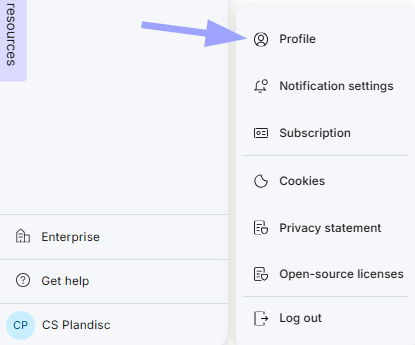
- Click your name in the bottom-left corner of the screen
- Click Profile.
Account info
- Name — edit anytime.
- Phone Number — edit anytime.
- Language — choose from the dropdown.
- Date & Time Format — choose how dates and times appear, for example 24-08-2026 14:32, 08/24/2026 02:32 PM, or 2026-08-24 14:32.
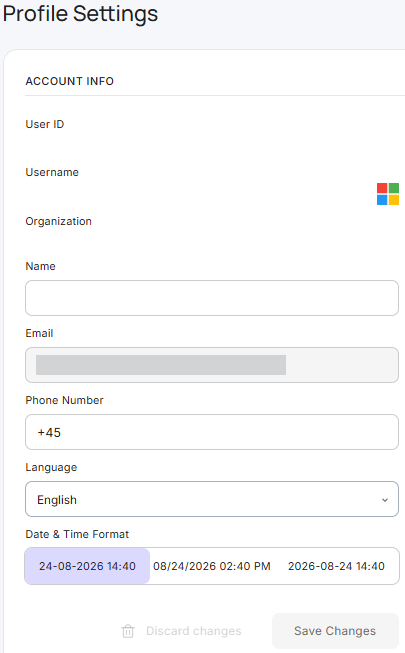
Your User ID, Username, Organization, and Email are shown for reference and can't be changed here.
- Click Save Changes when you're done, or Discard changes to cancel
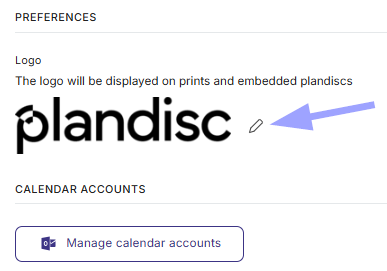
Preferences
- Logo — click the pencil icon to upload or change the logo shown on prints and embedded Plandiscs.
- Calendar accounts — click Manage calendar accounts to connect or manage your synced calendars.
That's your whole profile, updated in one place.