
Need to present your plan in a meeting? You can export your plandisc to PowerPoint and get a ready-made presentation. You don’t need to build any slides yourself.
You can choose between two formats: images on separate slides, or one interactive slide.
How to export
- Click Export.
- Click Export to PowerPoint.
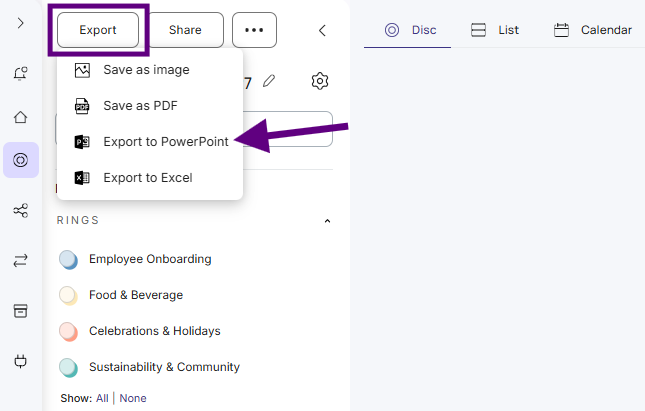
- Choose Image or Interactive.
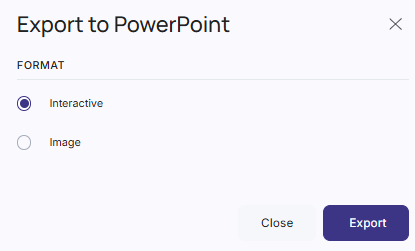
- Click Export.
- Save the file and open it in PowerPoint.
Image
Your presentation has:
- Two overview slides with your whole plandisc, the plandisc name, and a list of your rings.
- One slide per month. Each slide lists that month’s activities with their start and end dates, and shows which ring each activity belongs to.
Months with no activities don’t get a slide. The activity text is normal PowerPoint text, so you can edit it before your meeting.
Interactive
Your presentation is a set of linked slides you can click through:
- Overview slide: your whole plandisc and a list of your rings.
- Month slides: your plandisc for that month, with the month’s activities next to it. Click the month names at the top to go back or forward. If a month has many activities, they’re split across more slides.
- Activity slides: click an activity to see its details, along with the other activities in the same ring.
The links only work when you play the file as a slideshow. You don’t need an internet connection or any add-ins.