
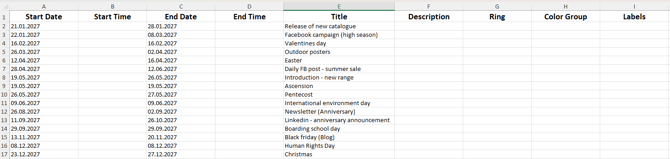
- Use one template per ring. Each Excel file goes into one ring. If you want activities in three rings, fill out three templates.
- Add both a start date and an end date. If an activity only lasts one day, write the same date in both fields.
- "Title" is the activity name. This is the name you'll see in your plandisc.
- Activity groups and labels are optional. You can add them to the template too, but they must already exist in the plandisc you're importing to. Write them exactly as they appear in Plandisc, with the same uppercase and lowercase letters.
How to import
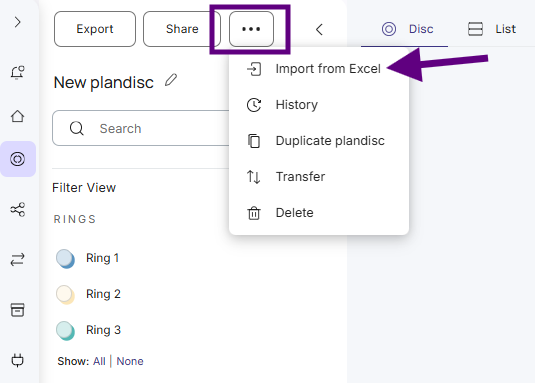
- Open the plandisc you want to import to.
- Click the three dots to open More.
- Select Import from Excel.
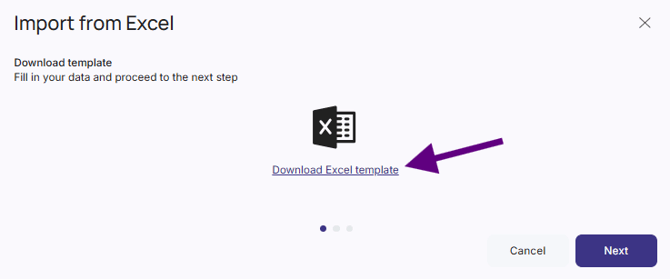
- Download the Excel template.
- Open the template and add your activities. Then save the file.
- Go back to Plandisc and click Next.
- Upload your file and click Next again.
- Choose the ring where your activities should go. Then click Upload.
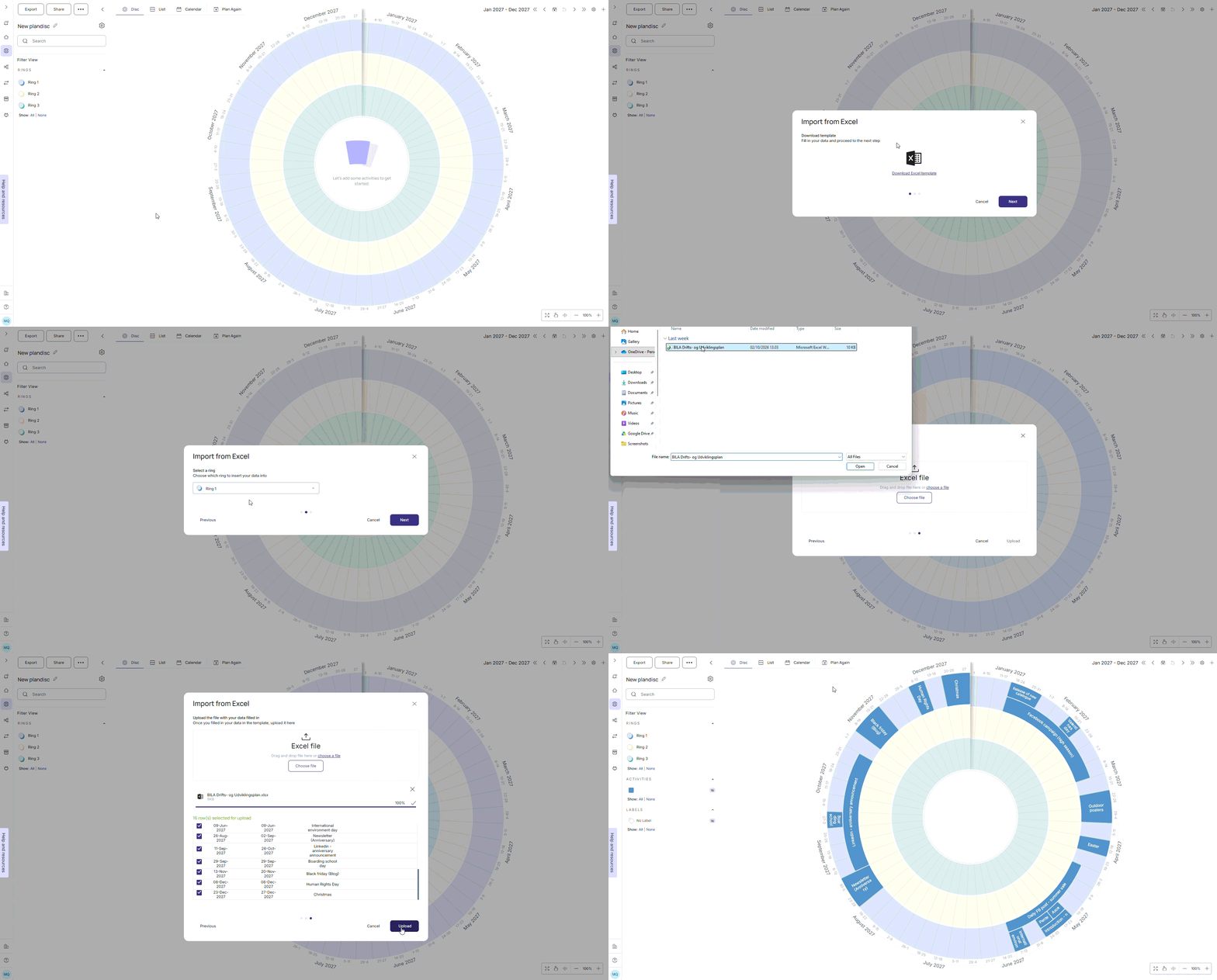
That's it. Your activities now show up in your plandisc.