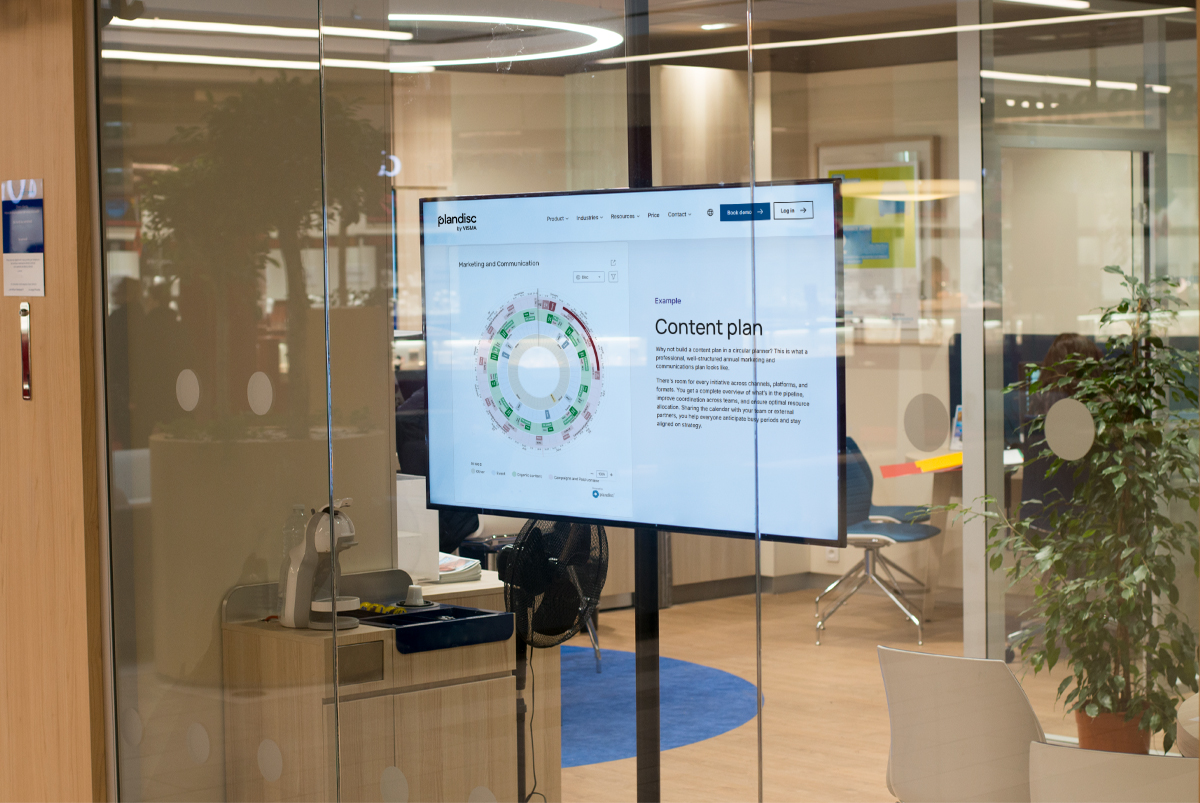

Your organisation already has an annual plan. It just lives in eleven different places. Finance has a spreadsheet. HR has a shared calendar. Operations has a project tool nobody else can access. Marketing is working from a slide deck last updated in January. When you need to know whether the product launch will land in the same week as the half-year audit, you have to ask four people and wait two days.
That coordination gap is what a circular annual plan closes. By placing the full year in a single visual overview, with every department's major activities visible at once, you stop discovering conflicts after they have already caused damage.
This guide walks you through building a circular annual plan in Plandisc, a digital year wheel tool designed for exactly this kind of cross-department coordination.
TL;DR A circular annual plan, also called a year wheel or årshjul, arranges the full year in a visual circle with rings for different departments or activity types. It makes seasonal patterns, competing deadlines, and cross-department dependencies visible at a glance. In Plandisc, building one follows seven steps: define scope, consolidate existing calendars, set up a ring structure, add activities with named owners, identify conflicts, share with appropriate access levels, and connect activities to strategic goals. The result is one shared overview that replaces scattered calendars and reduces coordination by email.
What Is a Circular Annual Plan?
A circular annual plan is a visual planning format that displays an organisation's activities, deadlines, and milestones arranged in a wheel rather than a linear timeline. Each segment of the wheel represents a time period, typically a month or quarter, and activities are plotted around the circle according to when they occur.
The circular format makes patterns visible that a spreadsheet or Gantt chart cannot show. You can see at a glance when multiple departments have major deadlines in the same window, identify quieter periods suitable for strategic work, and trace how one team's activities flow into another team's responsibilities.
In Plandisc, a circular annual plan uses concentric rings to layer different types of information: one ring per department, one for compliance, one for strategic initiatives. This structure gives you the full-year overview and the departmental detail in a single view, without switching between tools or asking someone to update a shared file.
Step 1: Decide What the Plan Needs to Coordinate
The most useful circular annual plans start narrow. Before adding a single activity, clarify what coordination problem you are actually solving.
Ask these questions first:
- Which departments or teams need to see and contribute to this plan?
- What level of detail do stakeholders need at a glance: major milestones, or task-level activity?
- Does the plan cover a calendar year, fiscal year, or academic cycle?
- Who owns different sections, and who needs view-only access?
Starting with clear scope prevents the year wheel from becoming a catch-all that nobody trusts. A focused plan covering two or three departments well is more useful than a complete plan nobody maintains.
Step 2: Pull Together the Calendars That Already Exist
Your organisation already has the planning data. It is just scattered. Before building the year wheel, collect what already exists across systems.
Common sources:
- HR calendars covering performance review cycles, recruitment windows, and training schedules
- Finance deadlines for budget submissions, reporting periods, and audits
- Operations schedules showing production peaks, maintenance windows, and seasonal demand
- Marketing campaign timelines and product launch dates
- Compliance deadlines and regulatory reporting dates
The consolidation step itself often surfaces problems. When HR sees that their peak recruitment period overlaps with Finance's audit window, and that both teams are bidding for the same project manager's time, the conflict is visible before it becomes a crisis rather than after.
This matters more than it might seem. Research by Behnam Tabrizi, published in Harvard Business Review, found that nearly 75 percent of cross-functional teams are dysfunctional, failing on criteria that include staying on schedule, meeting budget, and maintaining alignment with company goals. Unclear governance and lack of shared planning visibility are among the primary causes. Bringing scattered calendars into one overview addresses the problem at its root.
Plandisc integrates with Microsoft 365, which means existing Outlook calendar entries can feed into the year wheel rather than being re-entered manually.
Step 3: Build a Ring Structure That Matches How You Work
In Plandisc, each concentric ring in the year wheel represents a category of information. Getting the ring structure right is the difference between a plan that gives clarity and one that creates confusion.
A common starting structure for cross-department coordination: an inner ring for company-wide milestones and strategic initiatives, middle rings for department-specific activities (one ring per department), and an outer ring for external deadlines, industry events, or compliance dates.
Start with fewer rings rather than more. Three or four rings covering your most critical coordination points is the right place to begin. An overcrowded wheel is harder to read than a spreadsheet, which defeats the purpose entirely. You can add rings as the team becomes comfortable with the format.
The ring structure also signals ownership. When a ring belongs to a department, the people in that department know what they are responsible for maintaining.
Step 4: Add Activities and Put a Name Against Each One
With the ring structure in place, begin adding activities. For each entry, include:
- A clear descriptive name that makes sense without additional context
- The responsible person or team
- Start and end dates, or a target date for single-day events
- Any dependencies on other teams or activities
The dependency step is where circular planning earns its value. A budget submission deadline belongs in Finance's ring, but it also affects every department that needs to submit input. Making that dependency visible on the disc means Finance does not have to chase seven departments by email. Everyone can see the deadline and its upstream requirements in the same view.
Unclear ownership is one of the most common reasons circular plans stop working after the first month. A 2025 Harvard Business Review analysis of organisational silos identifies lack of accountability and unclear governance as the core drivers of cross-department dysfunction. Every activity on the disc needs a named owner. Not a team. A person.
Step 5: Find the Conflicts Before They Find You
Once your activities are plotted on the year wheel, look at the full picture before sharing it. The visual format makes problem areas obvious in a way that a list or spreadsheet does not.
Look for:
- Crowded segments where multiple departments have major deadlines simultaneously
- Resource conflicts where the same people are responsible for overlapping activities
- Sequential dependencies that create timeline pressure if one activity slips
- Empty periods that could absorb overflow from busier windows
This is the step that justifies the time spent building the plan. In a linear view, you might not notice that a three-week stretch in September contains the product launch, the half-year compliance review, and the start of the annual budgeting cycle until you are already in it. On the year wheel, that collision is visible in January.
Step 6: Share It and Make It Easy to Keep Current
A circular annual plan creates alignment only if the right people can see it and trust that it reflects reality. Plandisc lets you share the year wheel across your organisation with different permission levels:
- Give department heads editing rights for their rings while others have view access
- Create public links for stakeholders who need visibility without a login
- Use templates for recurring plans so you do not rebuild from scratch each year
Establish a review rhythm before sharing. Monthly check-ins work well for most organisations: frequent enough to catch changes, infrequent enough that updates do not become a burden. Because Plandisc shows updates in real time across the organisation, when one team adjusts a deadline, everyone affected sees the change immediately without a redistribution step.
Build the update review into an existing meeting rather than scheduling a new one. The year wheel works best as a standing agenda item, not a separate planning session.
Step 7: Tie Activities to the Goals They Serve
The most effective circular annual plans connect day-to-day activities to the strategic objectives they support. This connection helps teams understand why certain deadlines matter and makes trade-offs clearer when resource conflicts arise.
McKinsey's State of Organizations 2023 report, based on a survey of more than 2,500 business leaders, found that two-thirds see their organisations as overly complex and inefficient, and only half feel well-prepared to respond to external shocks. Connecting operational activity to strategic goals in a shared visual overview is one of the most direct ways to reduce that complexity.
In Plandisc, you can create a dedicated ring for strategic initiatives, showing how project milestones throughout the year build toward annual targets. When two activities compete for the same resource window, seeing which one connects to a strategic goal makes the prioritisation conversation shorter and less political.
This is also the step that justifies the plan to leadership. A year wheel that shows only operational activity is a coordination tool. One that shows how operational activity connects to strategy is a governance tool.
Mistakes That Undermine Circular Annual Plans
Too much detail. Including every task makes the year wheel unreadable. Anything that does not require cross-department awareness belongs in a project tool, not the annual overview. The year wheel should show what other teams need to know about your work, not everything your team does.
Set and forget. A plan that is not maintained becomes a source of distrust faster than no plan at all. If the year wheel shows a deadline that moved three weeks ago, people stop relying on it. Build updates into your existing meeting cadence before you share it.
Unclear ownership. Every activity needs a named person, not a team or a department. Shared ownership is no ownership.
Building it without the departments it is supposed to serve. A plan created in isolation will not reflect operational reality. Bring department leads into the ring structure conversation before the first activity is added, not after.
Frequently Asked Questions
What is the difference between a circular annual plan and a Gantt chart?
A Gantt chart shows tasks on a linear timeline, making it well suited to managing the sequence of work within a single project. A circular annual plan shows the full year as a wheel, making it better suited to coordinating activity across multiple departments over recurring cycles. The circular format makes seasonal patterns and competing deadlines visible at a glance; a Gantt chart makes task dependencies and durations visible within a defined project scope. Most organisations use both: Gantt charts for project execution, circular annual plans for organisational coordination.
How many rings should a circular annual plan have?
Start with three to five rings. One for company-wide milestones, one or two for your most critical departments, and one for external deadlines or compliance dates. It is easier to add rings as needs become clear than to simplify an overcrowded year wheel after the fact. In Plandisc, rings can be added at any time, so beginning lean does not lock you into a permanent structure.
How often should a circular annual plan be updated?
Monthly reviews work well for most organisations. Each session looks 60 to 90 days ahead, checks whether named owners still have capacity for upcoming activities, and adjusts for any changes since the last review. Major unexpected events, such as a leadership change, a budget revision, or a regulatory update, should trigger an unscheduled update rather than waiting for the monthly slot.
Can a circular annual plan work for organisations that run on academic or fiscal years rather than calendar years?
Yes. Plandisc supports custom start dates, so the year wheel can begin in August for an academic cycle, in April for a UK fiscal year, or at any other point. The ring structure and activity logic are the same regardless of when the year starts. Many organisations that run on non-calendar cycles find the circular format especially useful because it makes year-end and year-start handover visible as a continuous process rather than a hard break.
How is a circular annual plan different from a shared team calendar?
A shared calendar shows individual events in a linear date view, optimised for scheduling meetings and tracking personal commitments. A circular annual plan shows organisational activity in a layered visual overview, optimised for spotting cross-department conflicts, understanding seasonal patterns, and maintaining a shared source of truth about priorities. The two tools serve different purposes: calendars manage time, circular annual plans manage coordination.